
Steps for Facebook Feedback
Step 1: Open your Facebook app on your smartphone and click on the 3 bars.

Step 2: Click See More

Step 3: Click (Recent) Ad Activity

Step 4: Find the video or picture of BodySmarty

Step 5: Make your decision among the smilies. See pictures below if you are confused.

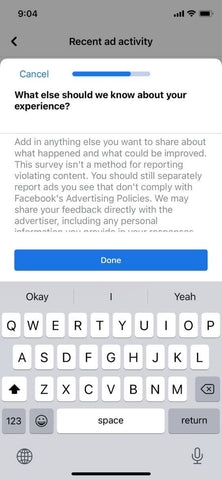
Step 5: Complete the survey

Step 6: Write a short feedback :)
Step 7: Sends a screenshot to info@bodysmarty.com that confirms your feedback.

Step 9: Get $10 off your last order!